Agentic software development in late 2026
ESSAY · 6 OCT 2026 · 9 MIN READ
How I set up a codebase, write code and review pull requests with AI coding agents, after three years of using them every day.
From ChatGPT to Claude Code
I started my career in early 2023. I have used AI for code since the days of ChatGPT on GPT-3.5. At first, I used it like a smarter search engine. I asked for one method, or one way to do a thing, and then I pasted the answer into my editor.
That changed in 2024 with Cursor. The unit of work went from one function to one full file, and then to many files. The best models in Cursor at that time were GPT-4o and Claude 3.5 Sonnet. Many of us also waited for a Claude 3.5 Opus. Anthropic said that it was coming later that year, but it never shipped. In November 2024, Cursor added an early agent in Composer that could pick its own context and use the terminal.
Then, in February 2025, Anthropic released Claude Code as a research preview. Today, at the end of 2026, I use Claude Code for almost everything. Opus 5.5 can do most tasks in one attempt, if you give it the right things.
As Andrej Karpathy said in January 2023, “The hottest new programming language is English”. This post is about the things you must give the model so that your English turns into good code.
Prepare your codebase
Write a CLAUDE.md and an AGENTS.md
Most of us know this step already. Your repository needs a CLAUDE.md file for Claude Code, and an AGENTS.md file for other agents. AGENTS.md is an open format. It came from teams at OpenAI Codex, Amp, Google Jules, Cursor and Factory, and the Linux Foundation’s Agentic AI Foundation now looks after it.
Claude Code can now read AGENTS.md by itself, but only when there is no CLAUDE.md. If both files are present, it reads only CLAUDE.md. So keep one source of truth. Write AGENTS.md, and then do one of these two things:
- Make CLAUDE.md a symlink to AGENTS.md.
- Put a single line,
@AGENTS.md, in CLAUDE.md to import it.
Keep the file short. The Claude Code best practices give a good test for each line: “Would removing this cause Claude to make mistakes? If not, cut it.”
Build small tools for your daily work
Look at the things that you do every day, and find a way for an agent to do each one. The tool can be a CLI, a skill or an MCP server. Some examples:
- If you work with documents and sheets, write a skill that can read and update them.
- If you use Slack a lot, create a Slack token with only the scopes that you need. Then the agent can read threads and post messages for you.
- If you already have a CLI such as
gh,gcloudoraws, tell the agent about it in CLAUDE.md. Agents are very good with CLIs.
Anthropic’s posts on writing tools for agents and on Agent Skills explain how to design these well.
Give the agent its own cloud account
Your agent will need GCP, AWS or Azure to read logs, check monitoring or look at a deployment. Do not give it your own account. Make a service account only for the agent, and give it the smallest set of permissions that works. For example, give it read access to logs and metrics, but no write access.
You do not need to give the agent a key file. On GCP, log in with your own account through OAuth, and then impersonate the service account:
gcloud auth application-default login \
  --impersonate-service-account=agent@my-project.iam.gserviceaccount.com
After this, every tool that uses Application Default Credentials acts as the service account, with only its permissions. On AWS, you get the same result with IAM Identity Center (aws sso login) and a profile that assumes a role with limited access.
Simon Willison says the important skill now is to design the loop the agent works in: its tools, its credentials and its feedback. Limited credentials are a big part of that.
Write code an agent can check by itself
The next question is this: how do you write code so that an agent can test it without you at each step?
Write the tests first
Use test-driven development, also when Claude writes the code. Ask the model to write the tests first, from the business requirements. Then it writes the code that makes those tests pass. Simon Willison calls this red/green TDD. He also gives the reason: an agent can write code that does not work, or code that nothing ever uses. A failing test stops both.
Your test suite will get large. That is not a big problem, because you can run your GitHub Actions in parallel to cut the time. More tests give you more confidence that the code works. They also give the agent all the checks that it needs. The Claude Code best practices say it directly: give Claude a way to verify its work.
Give it a headless browser for the frontend
For frontend work, install a headless browser tool such as Playwright or Selenium. I use Playwright to test frontend changes and to take screenshots. There is also a Playwright MCP server, and Playwright now has test agents that plan, write and repair tests.
Then add a line to your CLAUDE.md that tells Claude to use Playwright to check every UI change. If you do not tell it, it will often stop at “the code compiles”.
Keep pull requests small and stacked
Break large changes into small pull requests, one on top of the other. Small PRs are easier to read and easier to review. GitHub now has native stacked pull requests (public preview since July 2026), with a gh-stack CLI extension. Use them as much as you can.
For frontend changes, always tell the agent to add screenshots to the PR description or to a PR comment.
Reuse before you write
Tell your agent to write fewer comments and more reusable code. Before it writes a new method, it must look for one that already exists in the codebase. If it finds one, it must use it, or change it to fit. This stops the codebase from filling up with near-copies of the same function.
You can put this rule in a skill. I use Ponytail, a Claude Code plugin that makes the agent ask, in order: can I skip this, can I reuse existing code, can the standard library do it? Only after that does it write new code.
Review what the agent wrote
Let the agent annotate its own pull request
Make a skill that runs after the agent opens a PR. The skill adds review comments on the PR for the human reviewer. These are notes, not change requests. For example:
- “This is a new endpoint.”
- “This is an existing endpoint. We added a new parameter, and the service code is here.”
- “We did it this way and not that way, for this reason.”
- “TODO: we can clean this up later.”
The reviewer, a human or an agent, then understands the change quickly. They do not have to open five files to see why a change exists. Claude Code also has a managed code review feature and GitHub Actions that you can start from.
Link every pull request to a ticket
This is not really review, but it is close. Use a ticketing tool: Linear, Jira, GitHub Issues or your own. Link each PR to one ticket. Split large work into tickets and sub-tickets.
It helps with management. It also helps later: when you look at a PR again, the ticket tells you what the PR had to change, and why.
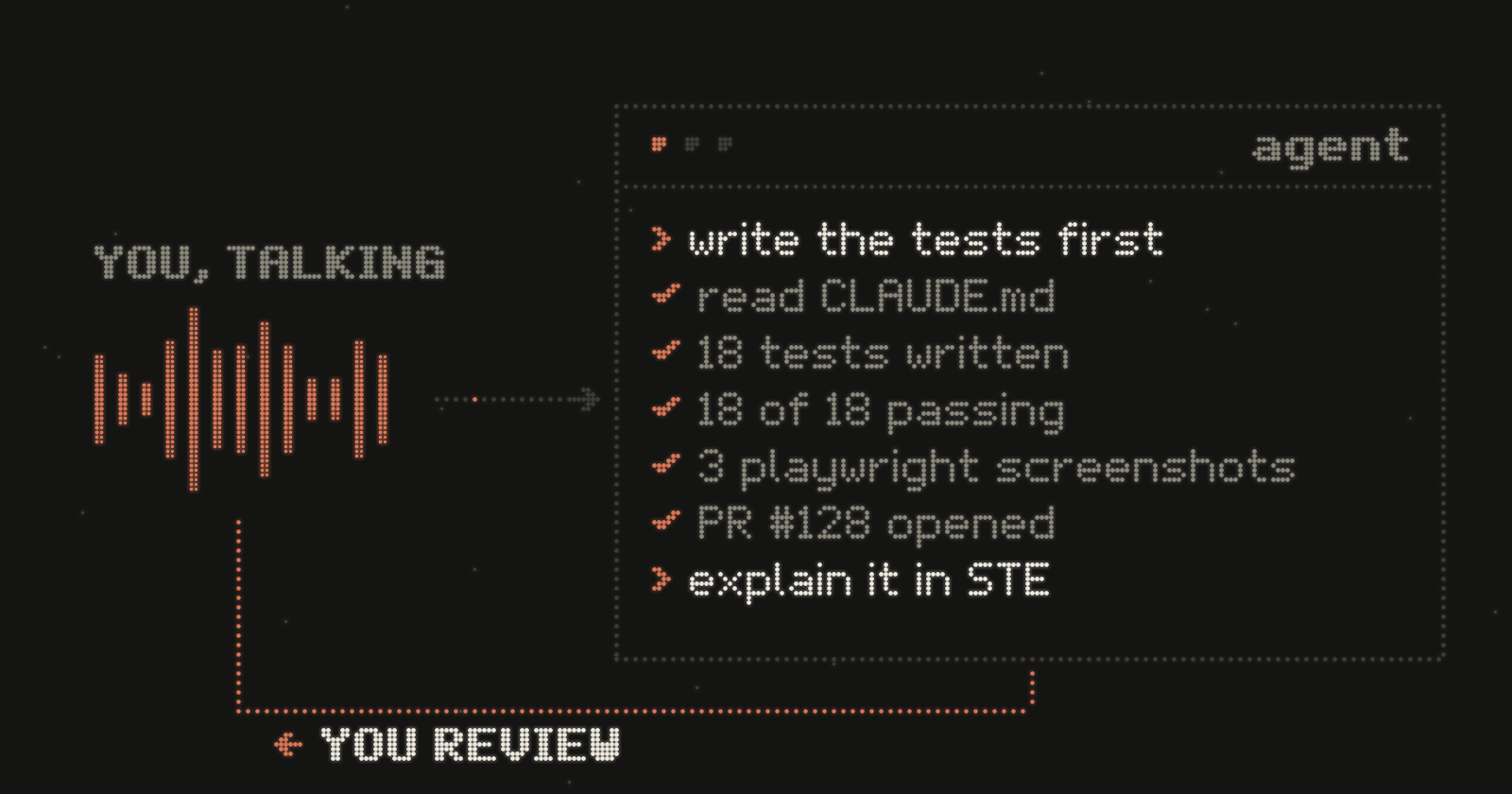
Ask for explanations in Simplified Technical English
This is the step that I like most. ASD-STE100 Simplified Technical English is a controlled language. It started in the aerospace industry so that every maintenance engineer, in any country, reads an instruction in only one way. It has short sentences, active verbs and a fixed list of words with one meaning each.
On 2 October 2026, Andrej Karpathy suggested that you ask your LLM to explain things in ASD-STE100. LLMs know the standard well, and its rules often make the text easier to read. He sometimes asks for “80% of the way” to STE.
I use it for code review. I ask the agent to explain the changed code, or the full PR, in STE. The explanation is short and has one meaning. It is also easy to check against the diff.
Review in your editor, not only in the terminal
I do most of my agent work in the terminal. But for review, I open the PR in VS Code and use the Claude Code extension there. Then I can see the changed files myself while I ask Claude questions such as:
- “Why is this change necessary?”
- “Is there an existing method for this?”
- “Is this the right approach?”
I read the files myself too. The agent gives me answers, but I make the decision.
Talk to your agent
I dictated this whole post with Wispr Flow. Claude Code also has voice dictation (/voice), and most apps have dictation now. Karpathy talked to his editor with SuperWhisper in the tweet where he named “vibe coding”.
Use it. When you talk, you put out more thoughts and more approaches. Humans are good at talking, and sometimes we are too lazy to type everything. Talking also clears your mind, because you hear what you say. When I am in a quiet room, I talk to the agent more than I type.
Trust the agent, but check it
Modern models and harnesses can do a lot, if you give them the right tools and the right instructions, and if you keep them inside the right limits. In practice, that means:
- many lint rules,
- test-driven development,
- business requirements so clear that the agent has no questions or doubts when it works.
Other people say the same thing in different words. OpenAI’s harness engineering post says: “Humans steer. Agents execute.” Karpathy’s one-year look back at vibe coding says that coding with agents is now the default for professionals, “except with more oversight and scrutiny”. And Anthropic’s Building effective agents says that simple, composable setups beat complex frameworks.
This area changes fast, and this post will probably be out of date soon. But this is how I work now, after about three years, and it works well for me. You can see some of the results on my work page.
These are my two cents. I probably forgot something, and I will add it later.
Further reading
- Best practices for Claude Code. Anthropic’s living guide: verify, plan, keep CLAUDE.md short.
- Effective context engineering for AI agents. Anthropic, September 2025.
- Effective harnesses for long-running agents. Anthropic, November 2025.
- Writing effective tools for agents. Anthropic, September 2025.
- Harness engineering: leveraging Codex in an agent-first world. OpenAI, February 2026.
- Software Is Changing (Again). Andrej Karpathy at YC AI Startup School, June 2025, on “Software 3.0” and the autonomy slider.
- Agentic Engineering Patterns. Simon Willison’s guide, February 2026.